Curate
Organise products your way
Sort by room, palette, or mood, and move between powerful views and an infinite canvas over the same set of products.
Free forever plan · No credit card required
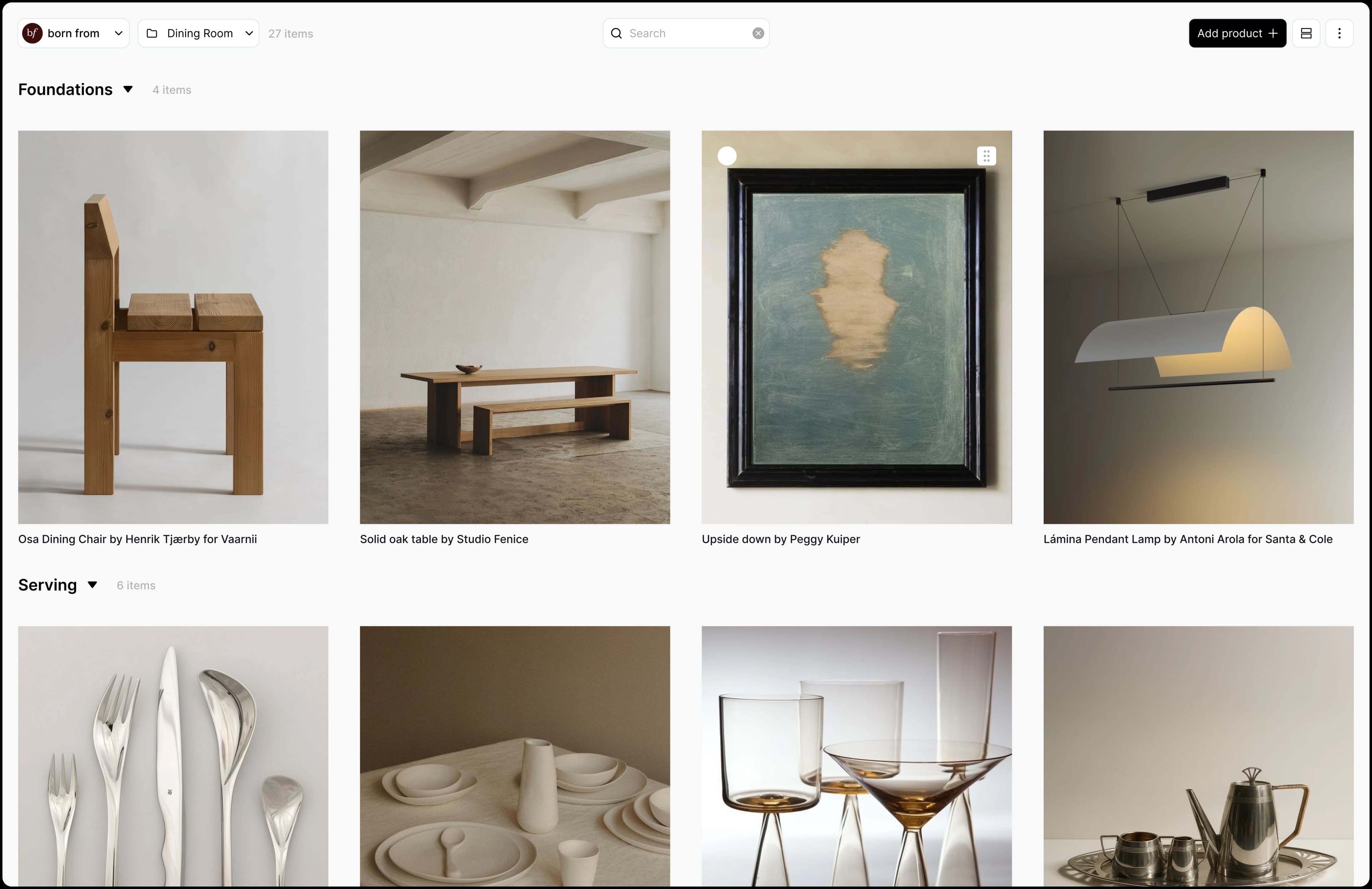
Organise however you think
Group products into collections and sort them by room, palette, or mood. The structure follows your process.
One dataset, many views
See the same products as a table, a grid, or an open canvas, and switch whenever the moment calls for it.
An infinite canvas
Lay everything out visually and arrange products side by side to shape a direction with room to breathe.
How it works
- 1Create a collection for each project.
- 2Add a section for each room, or for a palette or mood if that's how you think.
- 3Switch between grid, table, kanban and canvas views of the same products.
- 4Sort and group the table by status, tag or brand, and show the columns you need.
- 5Move pieces through saved, shortlisted, ordered, delivered and installed as decisions are made.
- 6Set a budget on the collection and Aalto totals the prices for you, converting currencies.
Frequently asked questions
What views does Aalto have?
Grid, table, kanban and a freeform canvas. They all show the same products, so a change in one view appears in the others.
Can I use Aalto as a moodboard?
Yes. The canvas lets you drag, resize and layer products, add text blocks and upload your own images, with background removal for product shots.
How do I track what has been ordered?
Every product has a status: saved, shortlisted, ordered, delivered or installed. Click the badge to move it on, or change many at once in selection mode.
Can I find a product I saved months ago?
Yes. Search looks across names, brands, descriptions and tags, and understands what you mean, so a search like "sculptural pendant" finds matching lights even if those words aren't in the name.
Bring order to your ideas
Start a collection and shape your next project visually.