The sourcing workspace for interior designers
Save products from supplier sites in one click. Keep each project's selections together, send your client a board, and export the schedule without retyping a thing.
The Aalto teamUpdated

Your sourcing lives in a spreadsheet, a Drive folder of spec sheets, showroom photos on your phone, a Pinterest board and a long email thread with your client. You rebuild the list for each project, and you check prices by opening forty tabs.
Aalto keeps the products you're considering in one visual workspace. You save a product once, with its image, price, supplier and link, then use it on this project or a later one.
Save a product in one click
Install the Aalto Chrome extension. On a supplier's product page, click the extension or press Alt+C. Aalto fills in the name, brand, price, image and supplier, and keeps the spec sheet when the page links one. You pick the project as you save, so you don't have a pile to sort on Friday.
If your work computer blocks extensions, paste the product link into Aalto instead.
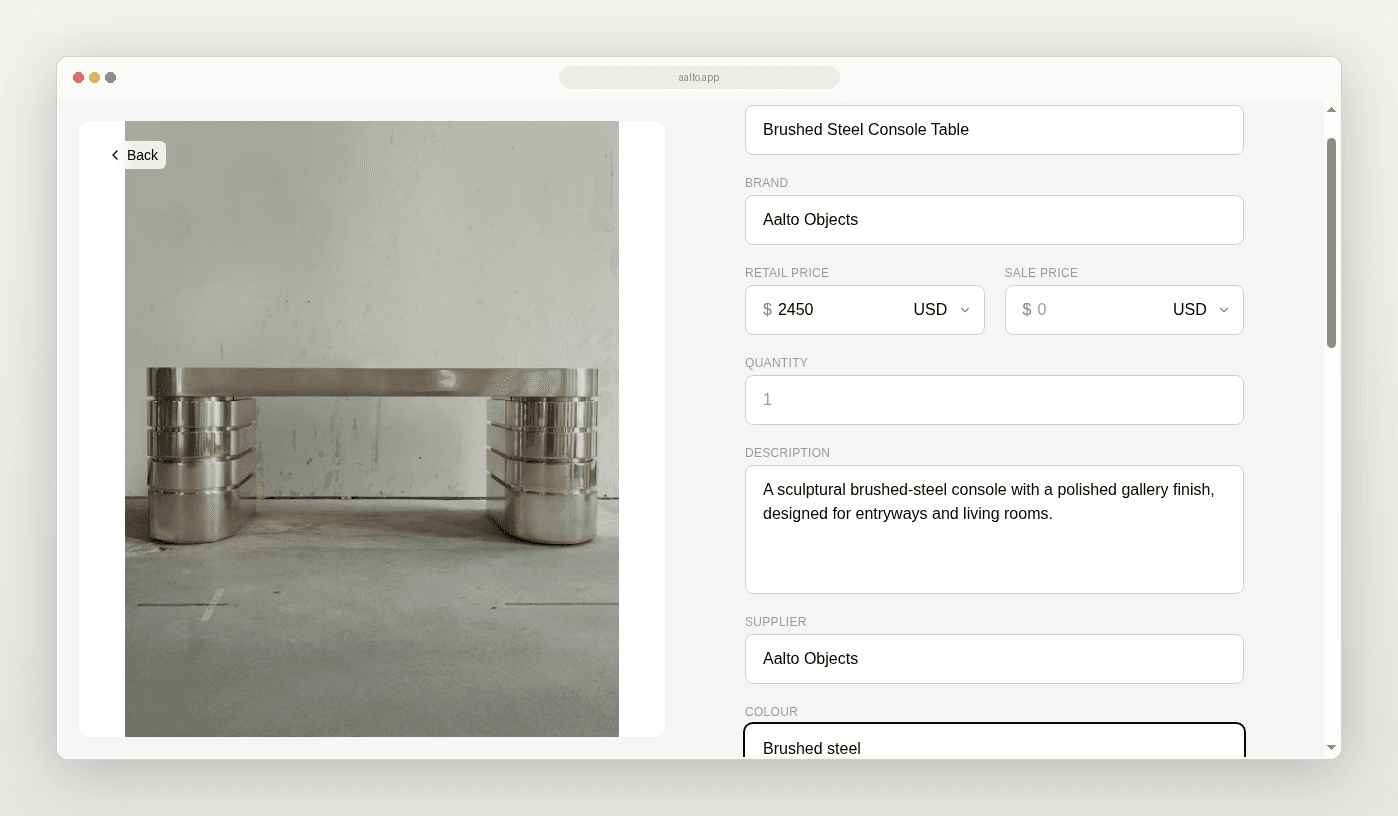
Each product keeps its retail and sale price, supplier, SKU, colour, dimensions, quantity and your notes on one page. You can add fields for whatever your studio tracks, like lead time or finish code.
See each room as a set
Give each project a collection and each room its own section. Switch between a grid, a sortable table and a freeform canvas for mood boards. Move each piece through saved, shortlisted, ordered, delivered and installed. Set a budget on the collection, and Aalto adds up the total as you add pieces. Keep room allowances on your budget sheet if you need them.
If your client passes on a sofa, it stays in your library for the next project.
Show your client the room
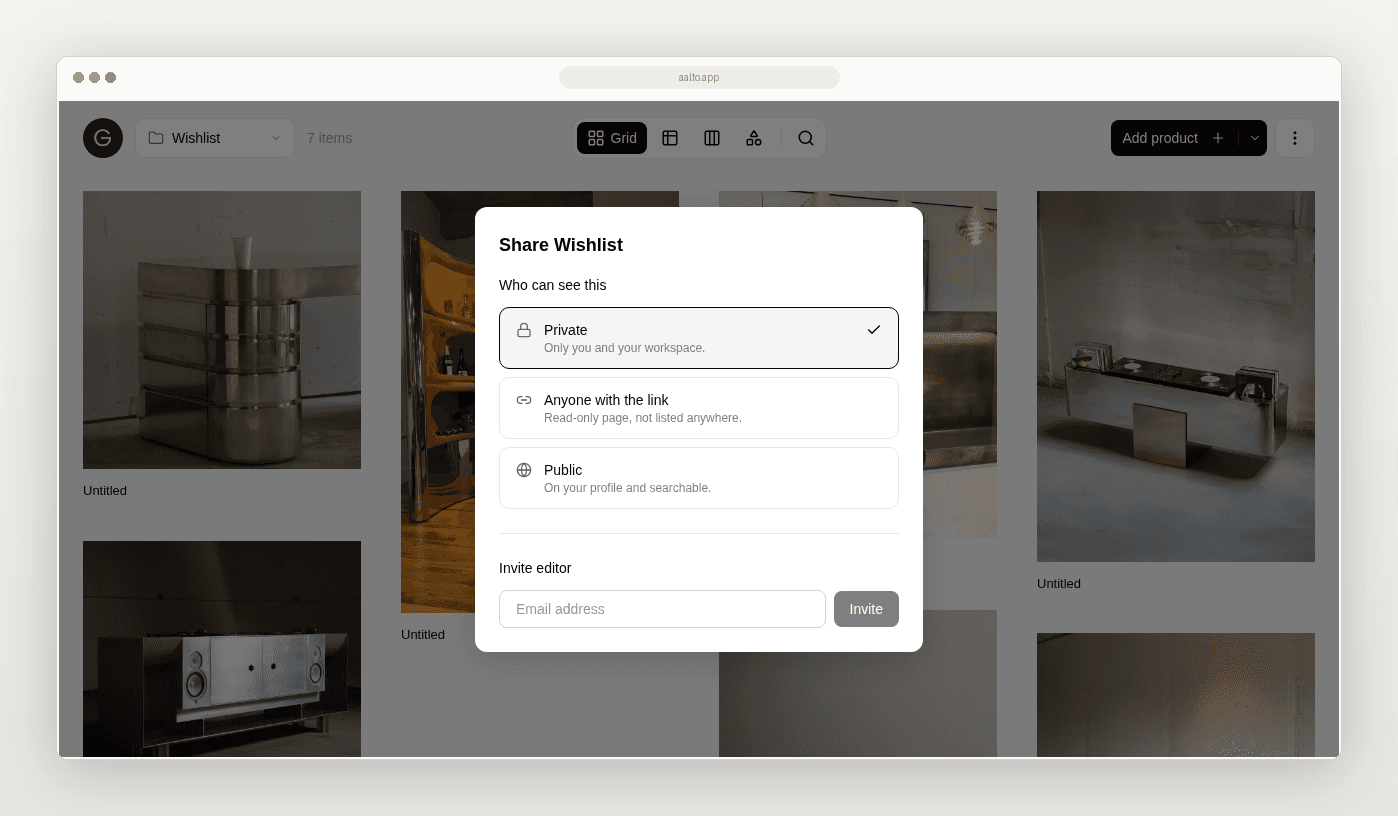
Once a room is ready, share a read-only link. Your client opens a clean page of images and product names, with no login and nothing to install. Invite your team as editors so you all work from one list.
Export the schedule from the board
Export the board to CSV on any plan, or to Excel and a PDF lookbook on Pro. Aalto builds the schedule from your selections, so you skip the retyping.

Quote with current prices
Aalto saves the price when you save the product. While you're working on a project, it rechecks the prices of shortlisted and ordered pieces each week and records any change, so you're less likely to quote last month's number. You can also refresh one product or a whole selection from the board.
Keep your other tools
Aalto handles sourcing and selections. Keep invoicing, contracts, time sheets and procurement in the software you use now, and keep Pinterest for finding ideas.
Try it on one project this week
- Install the Chrome extension.
- Make a collection for one live project.
- Add a section for each room you're working on.
- Save this week's finds to Aalto instead of screenshotting them.
- Send your client the link for one room.
- Export the schedule for whoever still wants a sheet.
If it saves you an afternoon, bring the next project in too.
Frequently asked questions
Do I need the Chrome extension?
No, but it's the fastest way to save. You can also paste a product link into Aalto on the web.
Does my client need an account to see a board?
No. They open a read-only page of product images and names, and they can't change anything.
Do prices update automatically?
For pieces you've shortlisted or ordered on an active project, Aalto rechecks the price each week and records any change. Some supplier sites can't be read automatically, so refresh a product before you quote if the price matters.
Can I reuse products across projects?
Yes. Copy products into another project's collection and they keep their details.
How much does it cost?
Free for up to 100 products, with CSV export, tax columns and view-only share links. Pro is US$19 per member per month and adds unlimited products and collections, Excel and PDF export, and editor invites.
Is Aalto studio management software?
No. It covers sourcing and selections and works beside your accounting and project management tools.
Can architects use it?
Yes, for interiors-led work where you're choosing products. It isn't built for drawings or documentation.