Education
Share interior product boards
Share interior product boards with clients and teammates. Review real product records instead of screenshot folders, PDFs, and long email threads.
The Aalto teamUpdated
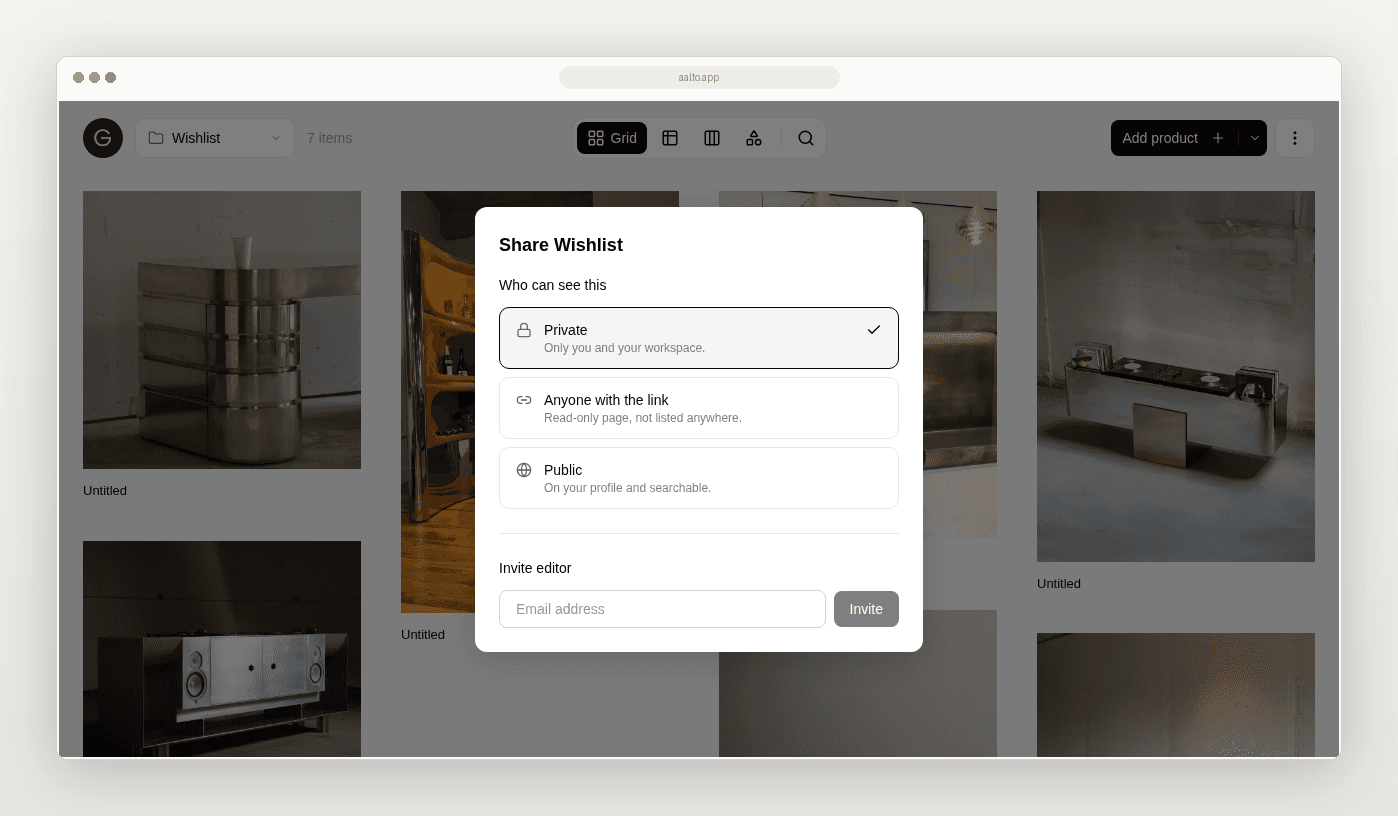
You often share selections as a folder of screenshots, a PDF export or a long email with links. The client replies on the wrong image. A teammate cannot find the source. The price in the email does not match the sheet.
This guide covers one job. Share an interior product board without rebuilding it from screenshots.
What the spreadsheet and screenshot workflow looks like today
You shortlist in a sheet. You drop images into a Drive folder or a slide. You send a link. Feedback arrives in three channels. Someone updates the sheet later, or they forget.
It can look polished. It is still fragile because the board and the product record are separate.
What a good shared board needs
- Products that belong to a project and ideally a room
- Images tied to the same record as the source URL
- Clear images and product names
- A single place for the viewer to look
Aalto records the price when you save. While you're working on a project, it rechecks shortlisted and ordered pieces each week and records any change, and you can refresh any product yourself before you quote.
Where the old workflow breaks
Sources go missing. A pretty board with no product record behind it creates more research.
Versions multiply. Two PDFs and one Drive folder disagree.
A practical sharing path
- Finish an internal shortlist for one room or one decision set
- Confirm every item has a source URL and price at save
- Move rejected options out of the collection
- Share the board link with the smallest useful audience
- Update each product's status yourself as decisions come back
- Export a schedule only if someone still needs a spreadsheet
Room. Main bedroom.
Shortlist. Bed. Bedside lights. Rug. Curtain fabric reference.
You share one board with the client. The client emails back that they like the lights and want a second rug option. You mark the lights as shortlisted. You save one more rug with its source and price at save. You do not rebuild a PDF.
How Aalto fits
Aalto is a visual workspace. Organise products on a project board. Store products across many projects or for future ones. Add a product once. Reuse it across jobs. Share that board as a read-only link. Viewers see product images and names, need no account, and can't change anything. Feedback still comes back by email, and you update the status yourself. If a client needs prices, send the PDF lookbook on a paid plan. Inviting teammates as editors also needs a paid plan. Keep the source URL and price at save on each product. Aalto stays lighter than a full client portal or studio OS such as Programa or Houzz Pro. The rivals are screenshot packs, Drive and ad hoc PDFs.
Quality check before you share
- [ ] Only review-ready items are visible
- [ ] Each item has a source URL
- [ ] Prices were checked recently, or you've refreshed them
- [ ] Room or set label is obvious
- [ ] You know where decisions will be recorded
When screenshots or PDF still help
Use a static PDF when someone cannot open a shared board. Use a screenshot when the image crop itself is the decision. Prefer a board backed by source-linked product records when product identity and follow-up matter.
Try sharing one board
Take one room shortlist from a live project. Share it as a board instead of a screenshot folder.
Frequently asked questions
Does a shared board show live supplier prices?
No. The shared page shows product images and names only, with no prices. Send the PDF lookbook if you want to show costs. It needs a paid plan.
Is this a formal client approval portal?
No. It is a clear way to share product selections. Viewers can't comment or change status. Keep contracts and sign-off where you already handle them.
Do I need Programa to share selections?
No. If you only need shared product memory and boards, a lighter layer can be enough.