Education
Save products from supplier websites
Save products from supplier websites with price, specs, and source URL together. Keep research in one visual workspace instead of half-finished spreadsheet rows.
The Aalto teamUpdated
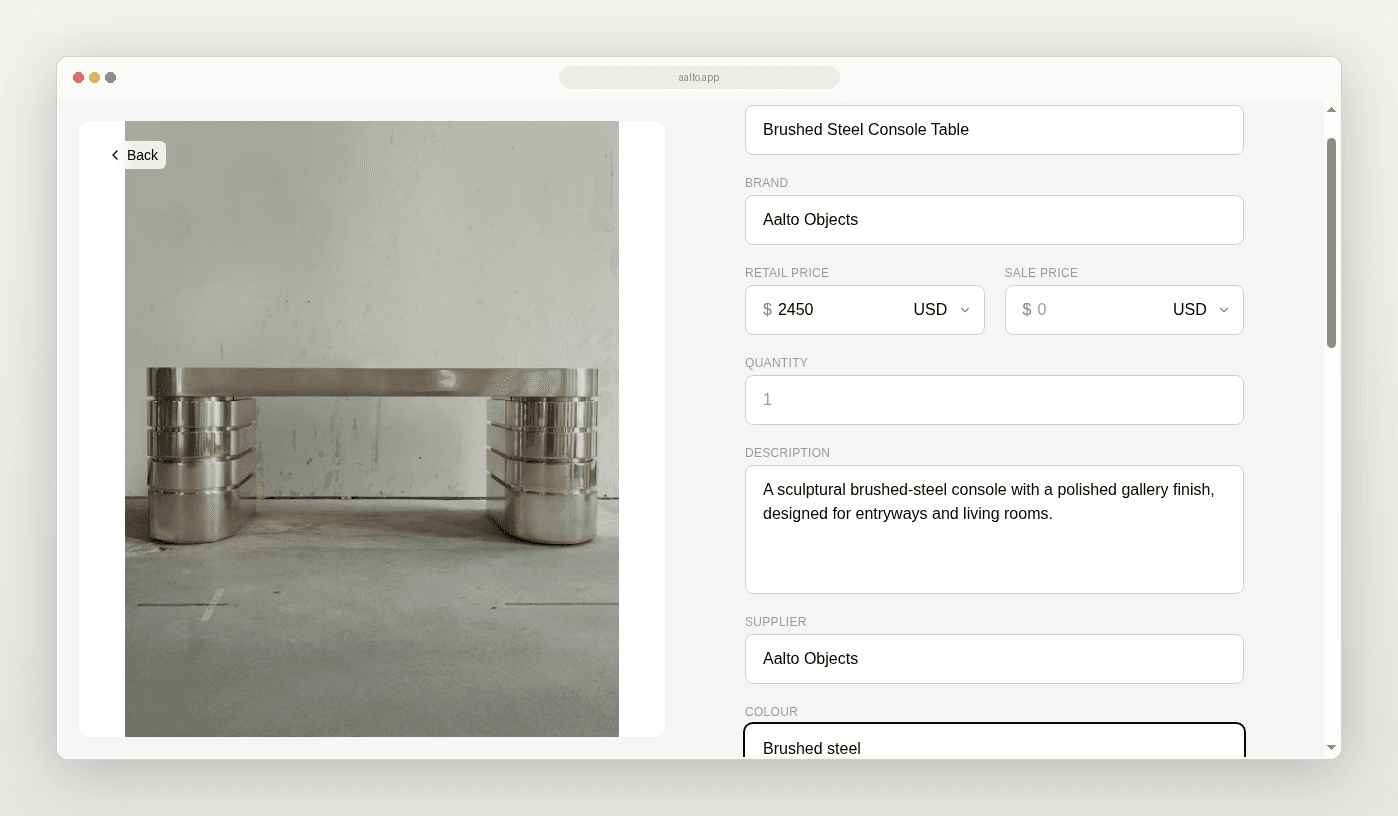
Your product research often starts on a supplier website and ends in a half-finished spreadsheet row. You copy a product name, paste a link and plan to add the specs later.
Later is where useful context goes missing.
This guide shows a simple way to save products while you research. Keep the product, price, specs and source URL together. You do not need a separate screenshot folder for every selection.
Why copy and paste creates extra work
Copy and paste moves one piece of information at a time. The name goes in one cell. The link goes in another. The screenshot goes in Drive. The price comes from a different page. The work is spread out before anyone has decided whether the product belongs in the project.
A few days later, the team asks which product the link referred to, whether that was the price when found, which finish was considered and which room it was for.
What to capture when you save
- Product name
- Supplier or maker
- Price visible at the time
- Specs visible at the time
- Source URL
- Project
- Room or area
- A short note about the choice or open question
Aalto records the price when you save. While you're working on a project, it rechecks shortlisted and ordered pieces each week and records any change, and you can refresh any product yourself before you quote.
A save-first workflow
- Start with a real decision, such as scale, finish or budget.
- Open the supplier page.
- Save while the context is open.
- Add project and room context.
- Add one useful note.
- Save a small set. Five considered products beat thirty screenshots.
- Review as a group and share the board.
To save, use the Aalto Chrome extension on the product page with one click or Alt+C, or paste the product URL into the web app. Aalto fills in the name, brand, price and image when the page provides them.
Visual workspace and reuse
Aalto is a visual workspace. Store products across many projects or for future ones. Add a product once. Reuse it easily across jobs.
Try it
Save five products from one supplier into Aalto on a live project. Keep price and source at save.
Saving from inspiration boards is a related job. See Save products from Pinterest or Cosmos when the product starts on a pin or a Cosmos board.
Frequently asked questions
Does Aalto keep prices live?
For pieces you've shortlisted or ordered on an active project, Aalto rechecks the price each week and records any change. Some supplier sites can't be read automatically, so refresh a product before you quote if the price matters.
Do I still need screenshots?
Only when the image itself is the decision artefact. Prefer source-linked saves for product identity.